
Updated:
OpenClaw Setup
OpenClaw is a multi-channel AI assistant platform. This guide wires Cubence's Claude / Codex into a Telegram bot. Linux and macOS only.
Only Cubence non-Max share groups are supported.
Base URL and routes
The examples use the Mainland China route, https://api-lb.cubence.ai. For global use, set the Base URL to https://api.cubence.ai; outside Mainland China, you can use https://api.cubence.com. OpenAI-compatible clients such as Codex require /v1 after the selected endpoint; Claude Code and Gemini CLI use the root URL. See API endpoints and Base URL configuration.
1. Install
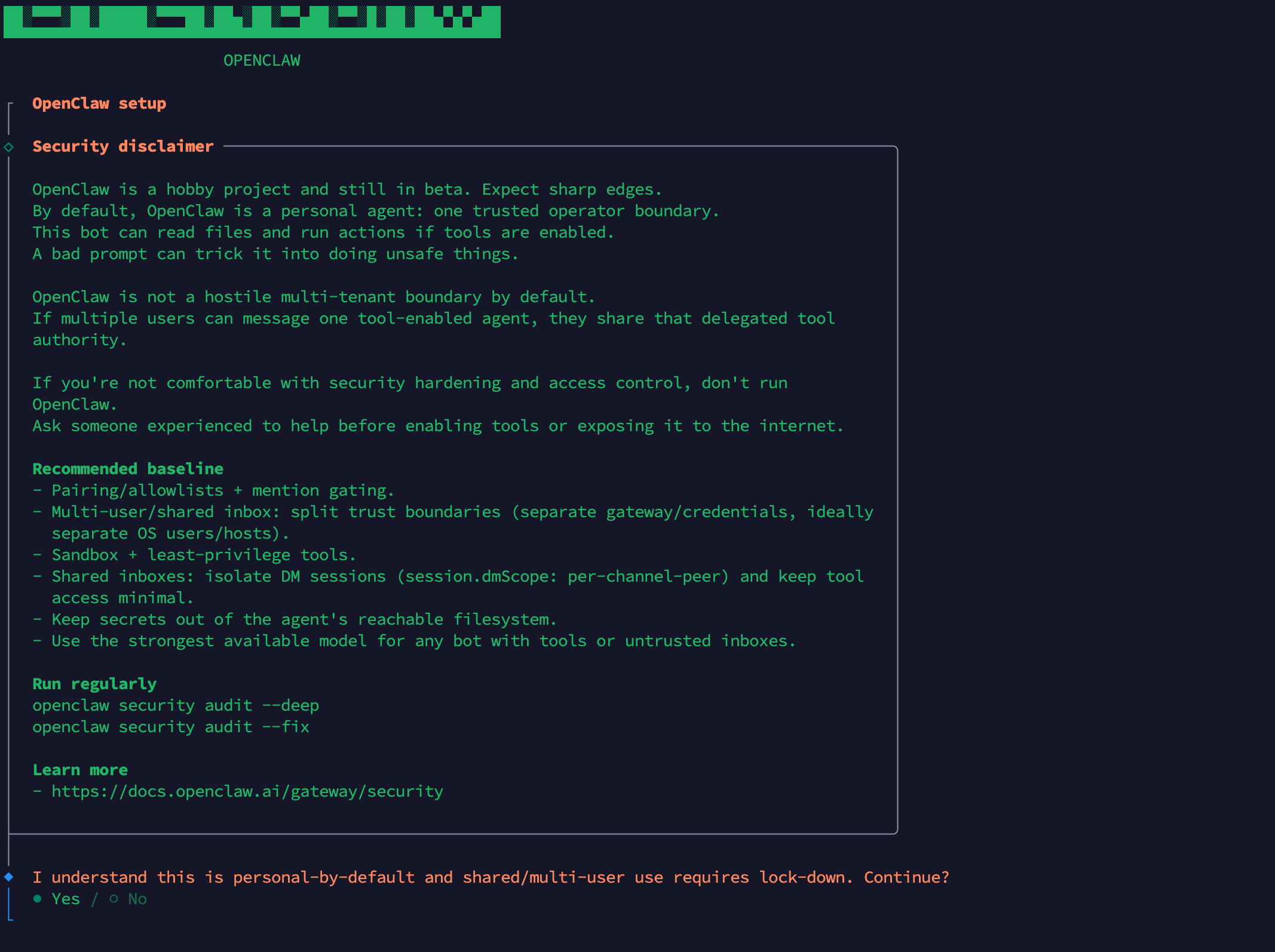
curl -fsSL https://openclaw.ai/install.sh | bashSecurity disclaimer → Yes
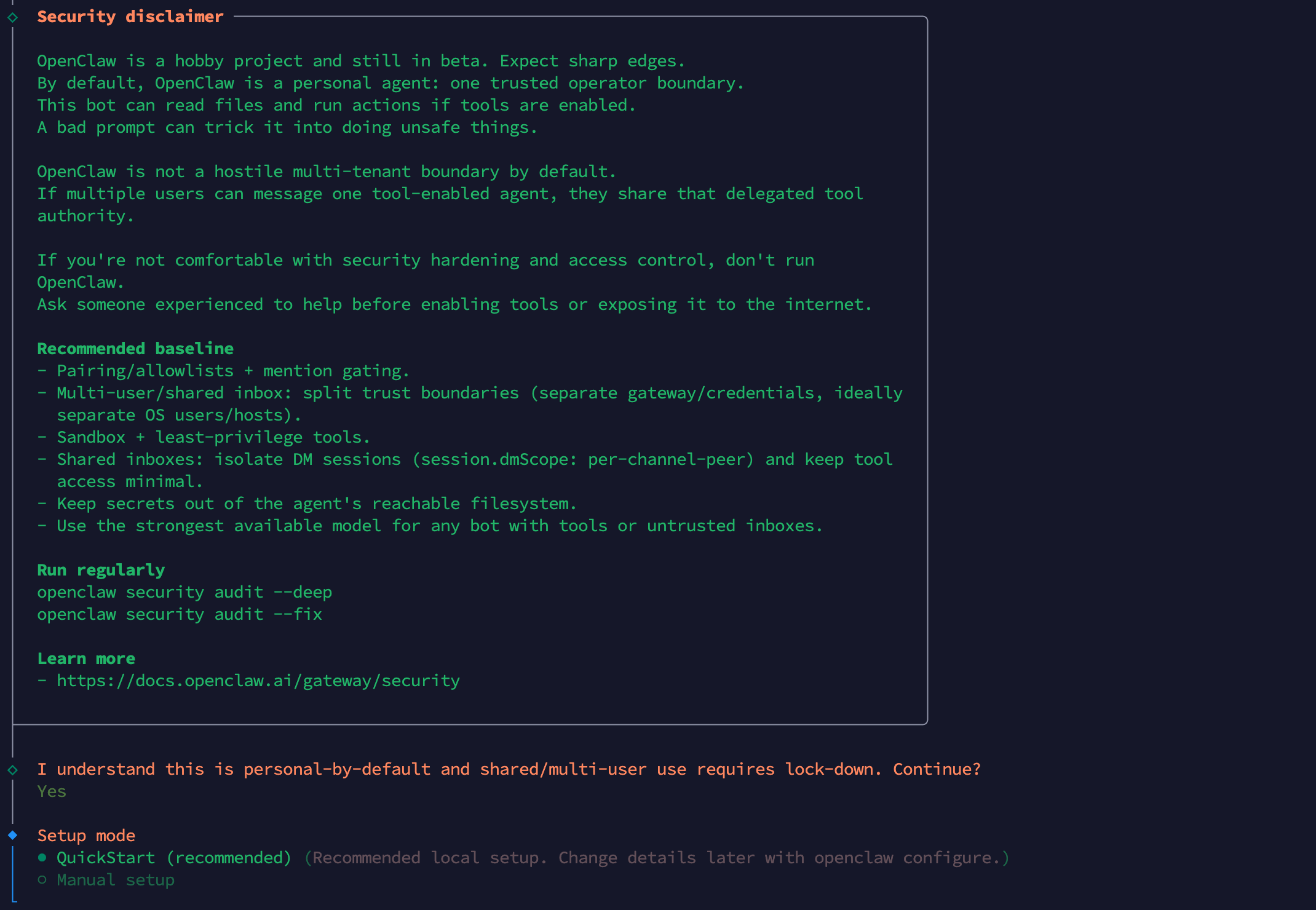
Setup mode → QuickStart
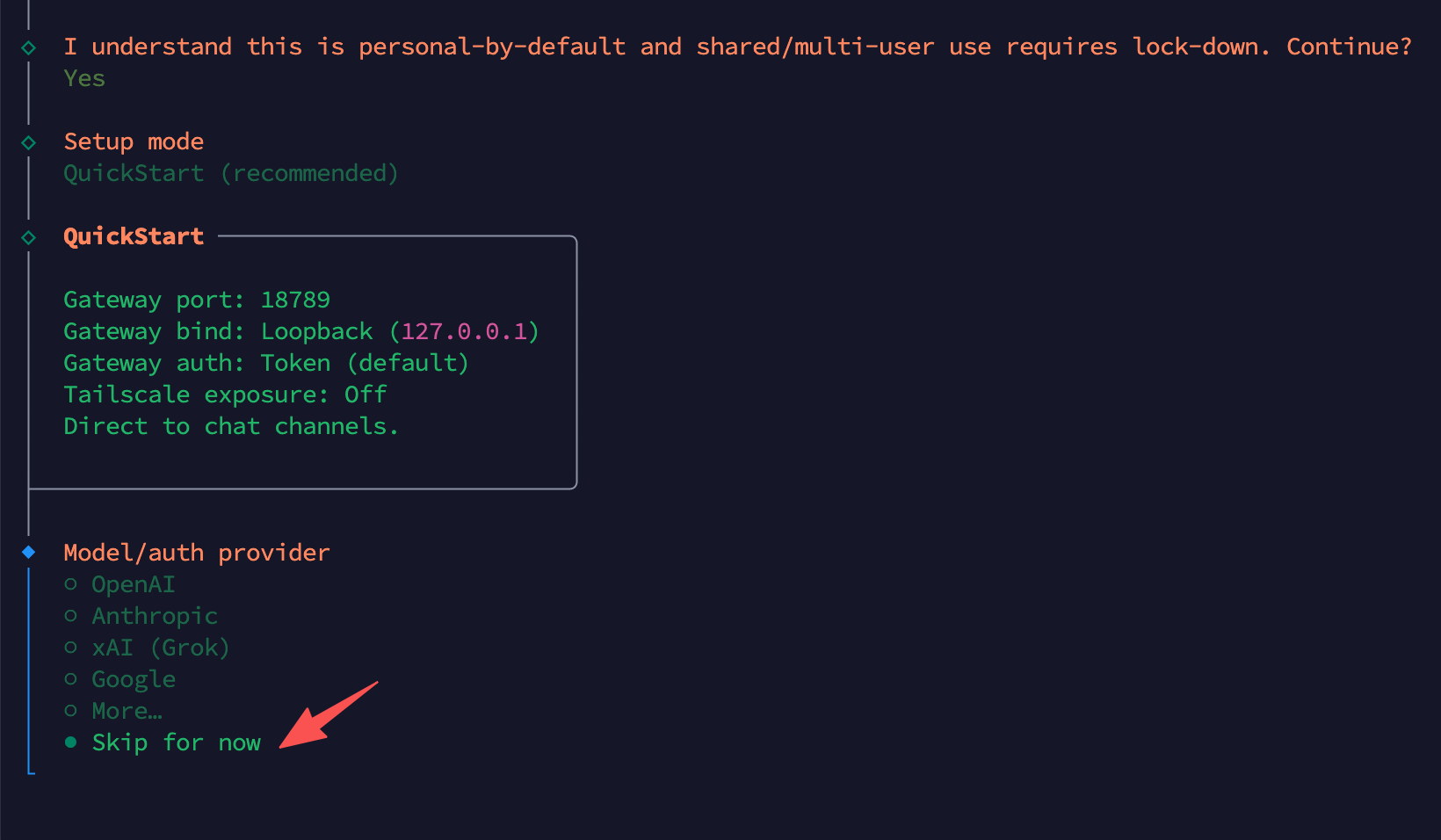
Model provider → Skip for now
Cubence is added through the config file later.
2. Configure Telegram bot
Channel → Telegram (Bot API)
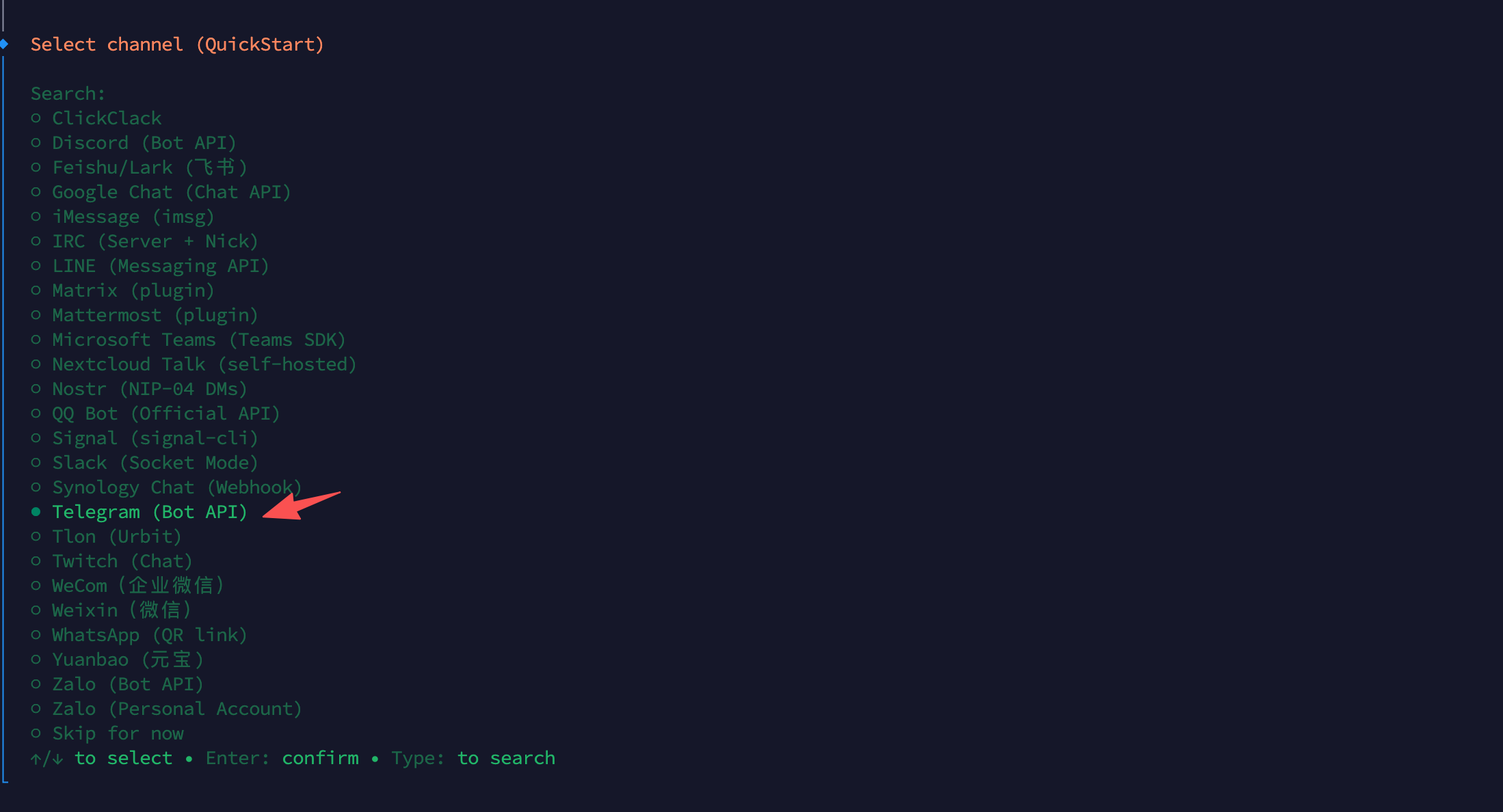
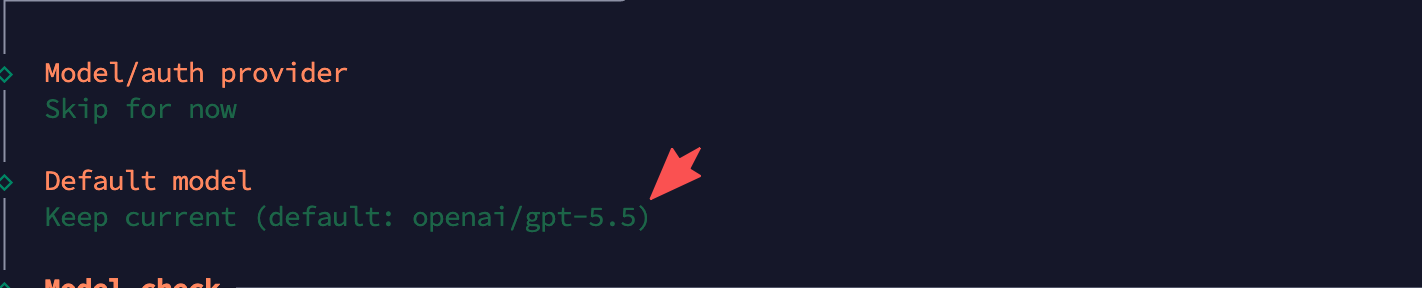
Keep the default model
Cubence will override this later — just press Enter.
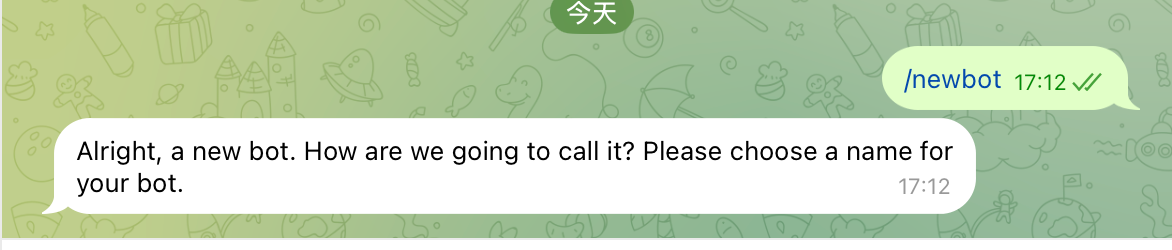
Create the bot via @BotFather
In Telegram, search for @BotFather, send /newbot, follow the prompts to set a display name and username (username must end with bot).
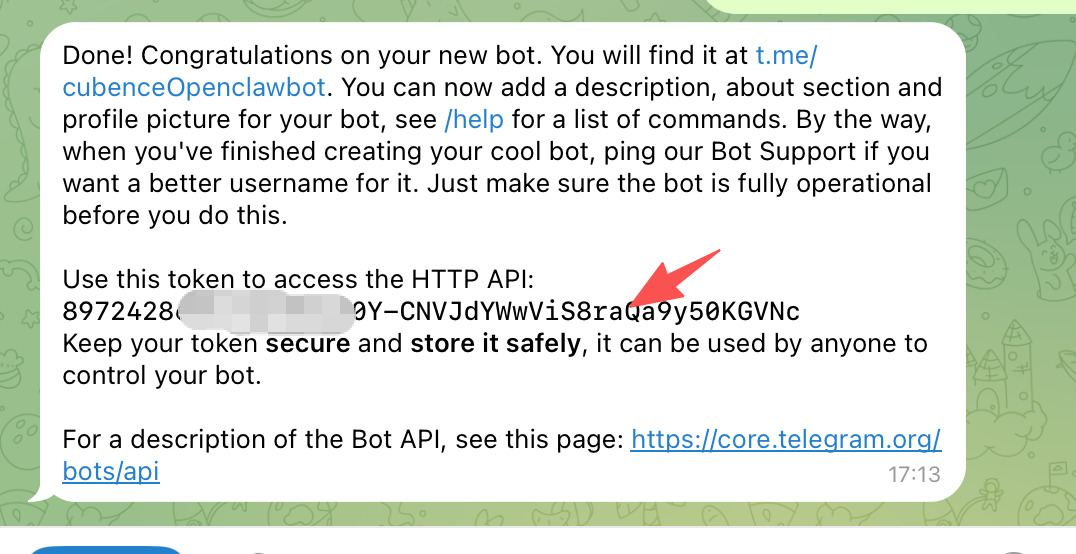
BotFather returns an HTTP API token (digits:string). Keep it secret — anyone with it can drive your bot.
Paste the token back into the OpenClaw wizard.
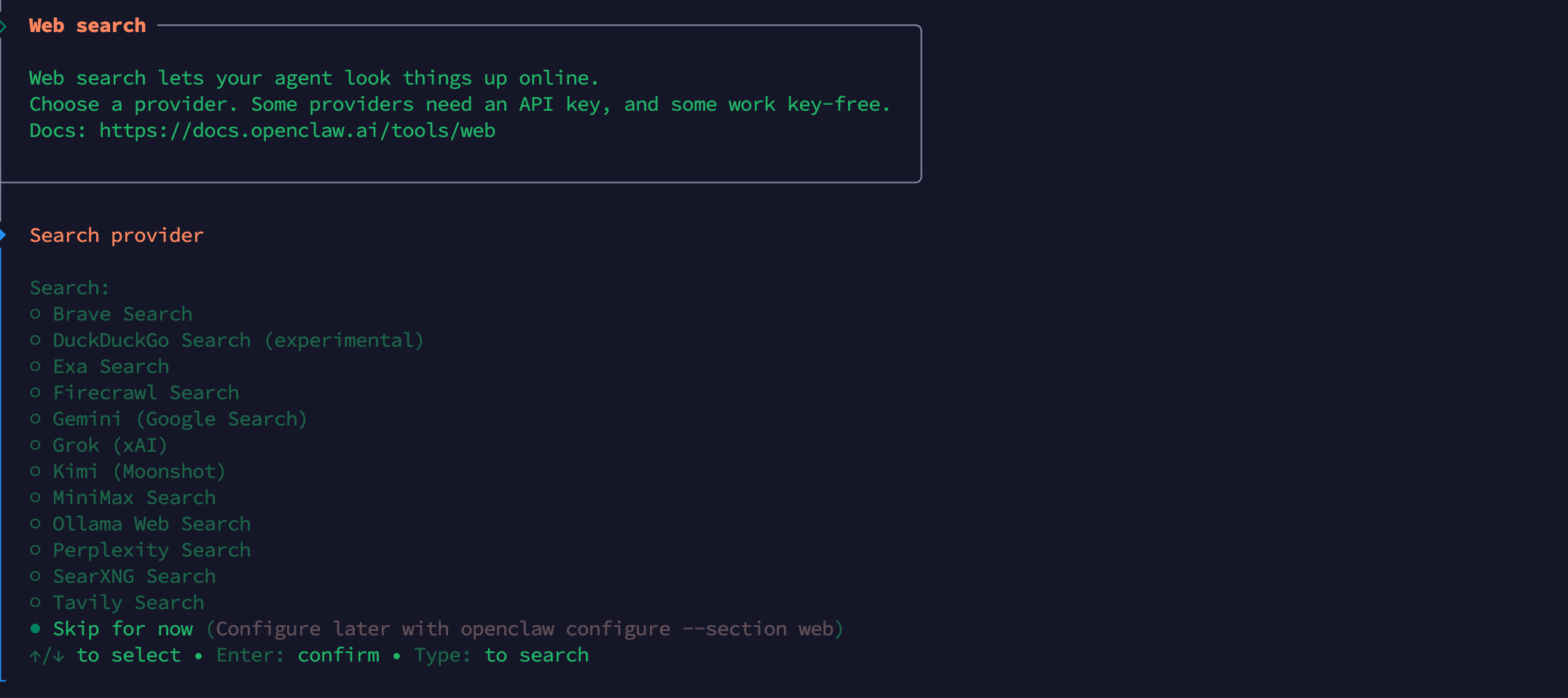
Web Search → Skip
Skip the last wizard prompt. After it finishes you're back in the terminal with the OpenClaw Gateway running in the background.
3. Get a Cubence API Key
In the Cubence dashboard → API Keys → create a key with a non-Max share group. Copy the sk-user-....
Two base URLs are needed later:
- Claude:
https://api-lb.cubence.ai - Codex:
https://api-lb.cubence.ai/v1(must include/v1)
Claude and Codex can share one key, or use separate keys for independent accounting.
4. Write OpenClaw config
Edit ~/.openclaw/openclaw.json. If the file has no models / agents fields yet, append the block below; if they exist, merge the providers and defaults (the models.mode: "merge" setting handles deep merging across sources). Replace apiKey with your own and on macOS change workspace to /Users/your-name/.openclaw/workspace.
{
  "models": {
    "mode": "merge",
    "providers": {
      "cubence": {
        "baseUrl": "https://api-lb.cubence.ai",
        "apiKey": "sk-user-replace-with-your-own-key",
        "api": "anthropic-messages",
        "models": [
          {
            "id": "claude-opus-4-7",
            "name": "Claude Opus 4.7 (Cubence)",
            "reasoning": true,
            "input": ["text", "image"],
            "cost": { "input": 5, "output": 25, "cacheRead": 0.5, "cacheWrite": 6.25 },
            "contextWindow": 200000,
            "maxTokens": 32000
          }
        ]
      },
      "cubence-codex": {
        "baseUrl": "https://api-lb.cubence.ai/v1",
        "apiKey": "sk-user-replace-with-your-own-key",
        "api": "openai-responses",
        "models": [
          {
            "id": "gpt-5.5",
            "name": "GPT-5.5 (Cubence)",
            "reasoning": true,
            "input": ["text", "image"],
            "cost": { "input": 0, "output": 0, "cacheRead": 0, "cacheWrite": 0 },
            "contextWindow": 200000,
            "maxTokens": 32000
          }
        ]
      }
    }
  },
  "agents": {
    "defaults": {
      "model": { "primary": "cubence-codex/gpt-5.5" },
      "models": {
        "cubence/claude-opus-4-7": { "alias": "opus" },
        "cubence-codex/gpt-5.5": {
          "alias": "codex",
          "params": { "reasoning": { "effort": "medium" } }
        }
      },
      "workspace": "/root/.openclaw/workspace",
      "contextPruning": { "mode": "cache-ttl", "ttl": "1h" },
      "compaction": { "mode": "safeguard" },
      "typingMode": "instant",
      "heartbeat": { "every": "1h" },
      "maxConcurrent": 4,
      "subagents": { "maxConcurrent": 8 }
    }
  }
}
Codex baseUrl must end with /v1; Claude does not. The alias values control what you type after /models in Telegram (e.g. /models opus, /models codex). To add more Claude versions like Sonnet, append another object to cubence.models[] and give it an alias under agents.defaults.models.
Restart the gateway to apply:
openclaw gateway restart5. Pair the bot and test
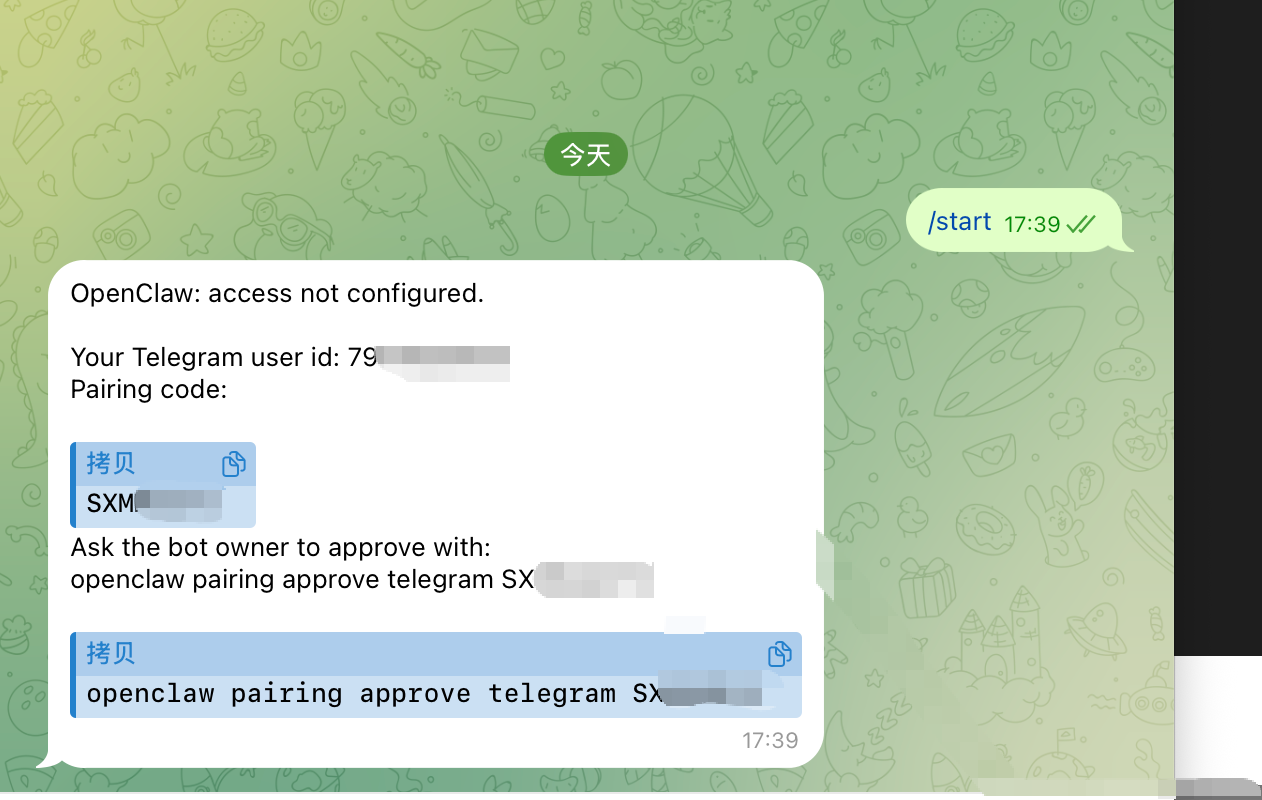
Send /start in the bot
The bot has no owner yet, so it replies with a pairing code and the exact command to run.
Run approve locally
Copy the command and run it in the terminal on the machine where OpenClaw is installed:
openclaw pairing approve telegram SX...The bot is now bound to your OpenClaw instance and will start processing your messages.
Switch model and chat
Back in Telegram:
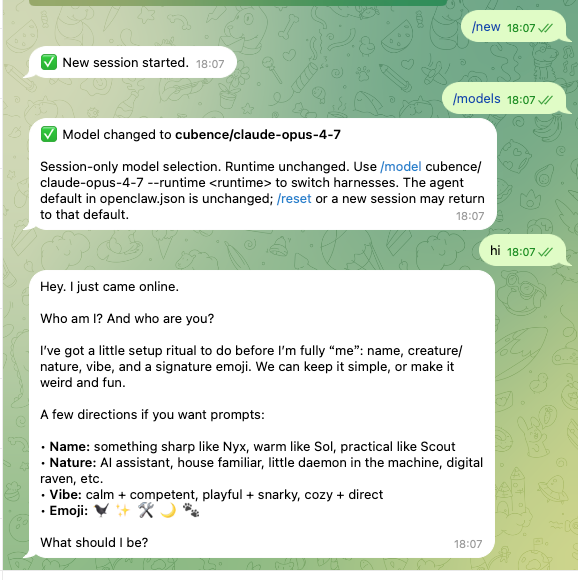
/new— start a fresh session/models opus— switch to Claude (same as/models cubence/claude-opus-4-7)/models codex— switch to Codex- Send any message to test